80s style has more than one mood. A soft window portrait, a structured blazer and a disco-night outfit can draw on the same decade while looking completely different. Use this guide to plan an outfit, style a photograph or choose a prompt for your AI transformation.
Ready-to-try 80s outfit combinations
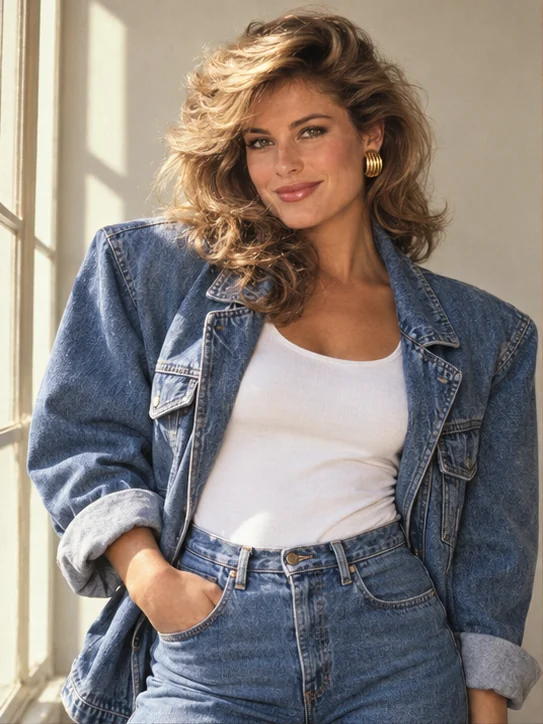
Denim daydream
Big cover-girl hair, blue denim and golden light. A portrait with attitude.
Get the prompt →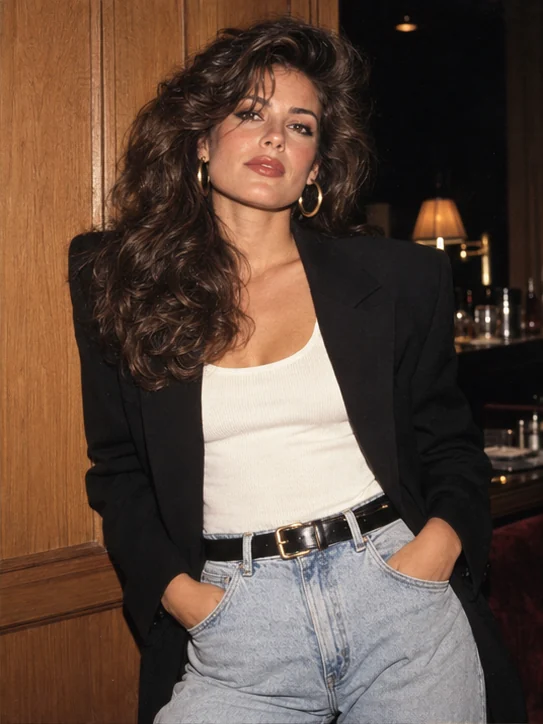
Power-dressing muse
A black blazer, gold hoops and voluminous waves. A classic with presence.
Get the prompt →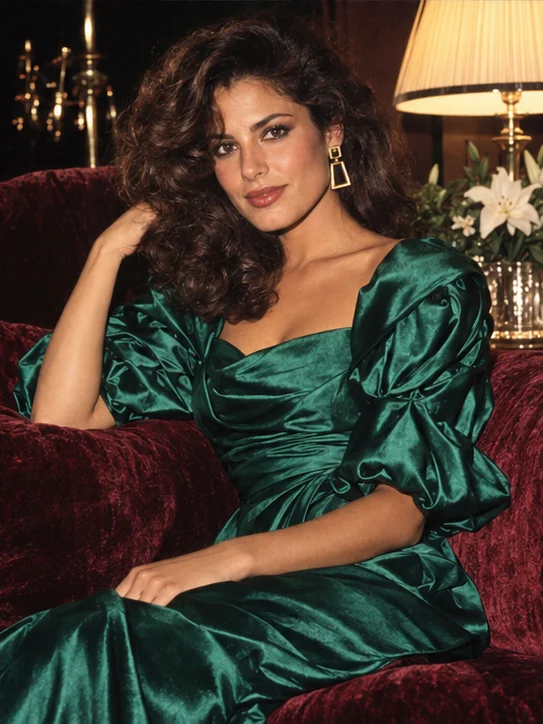
Satin after dark
Emerald satin, loose curls and lamplight. A little late-night glamour.
Get the prompt →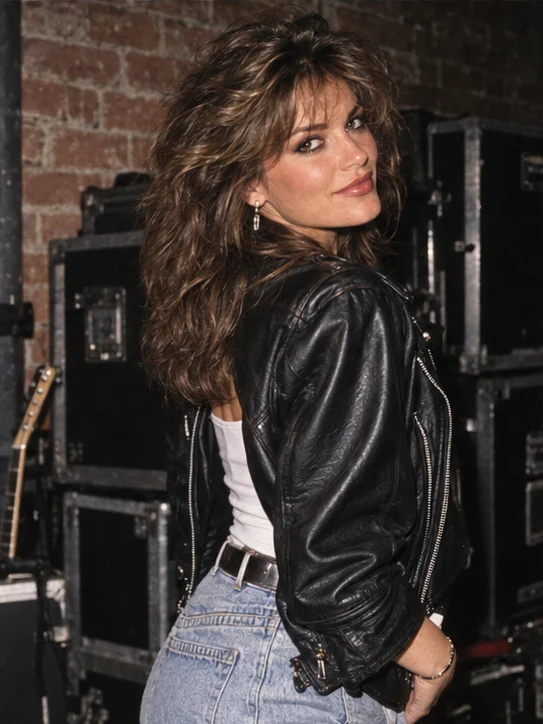
Backstage crush
Leather, curls and backstage flash. The energy of an unforgettable night.
Get the prompt →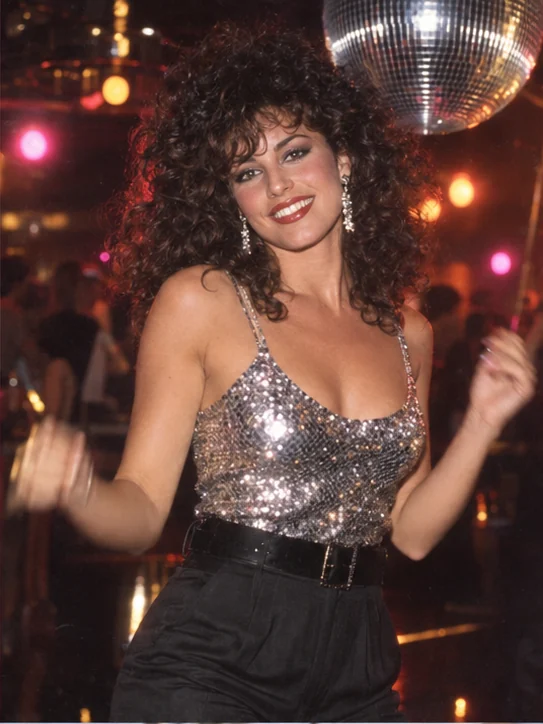
Last dance at the disco
Sequins, a mirror ball and curls caught in motion.
Get the prompt →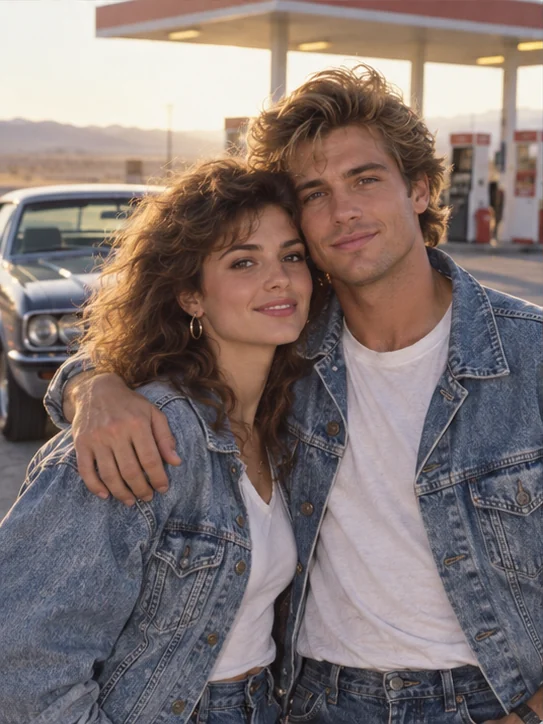
Our retro road trip
Matching denim, an embrace and a road-trip stop worth remembering.
Get the prompt →80s outfits: start with the silhouette
Choose the piece that defines the outfit first. A denim jacket with a high waist gives you a casual direction. A blazer with structured shoulders creates a stronger portrait. A satin blouse moves the look toward magazine glamour. Keep the supporting pieces simple so the main item has room to stand out.
To wear the look today, combine one reference piece with clothes you already enjoy: a blazer over a plain tee, jeans with an unpatterned blouse, or a leather jacket with understated accessories. For an 80s party outfit, turn up the intensity with larger earrings, bright color or a headband. You do not need all three in one outfit.
80s hair and makeup for a portrait
Voluminous waves, defined curls and a fringe frame the face differently. Plan the crop before choosing a hairstyle: leave room above the head and avoid cutting tightly around tall hair. If you want to keep short hair, natural texture or a particular hairstyle, add that detail in the prompt customizer.
Choose one makeup focal point. Strong lipstick can work with quieter eyes; colorful shadow can pair with softer lips. For a romantic image, use diffused light and a gentle finish. For a disco look, combine a little shimmer with a darker background while keeping the eyes clear.
80s looks for women, men and couples
For a women’s look, begin with denim, satin or a blazer, then choose the mood: everyday, glamorous or party-ready. For a men’s look, leather, denim and light tailoring offer different directions. The gallery filters help you browse; any combination can be adapted to your preferences.
For a couple photo, coordinate the palette without making the outfits identical. Denim and white give a casual direction; cream and brown make a softer portrait. Describe each outfit separately in the prompt and choose a reference where both faces are visible.
Turn an outfit idea into an 80s photo
Start with one of the illustrated combinations below. Open its prompt, keep the details you like and change only what you want to personalize. A useful description brings together clothing, hair, pose, lighting, setting and photographic finish.
For an AI photo, copy the text, open ChatGPT and attach your portrait. For a real photo session, use the example as a clothing and lighting reference: a side window, a simple backdrop and a relaxed pose give you a clear starting point. The images here are AI interpretations, not historical photographs.
Keep your 80s style from feeling overdone
Pick two strong references, such as shoulder shape and voluminous hair, and simplify the rest. If the result feels too costume-like, reduce the neon, accessories or saturation. If it feels too contemporary, strengthen the clothing silhouette and photographic finish before adding more objects.
Film texture works best when it does not hide facial features. Ask for subtle grain, natural skin and defined eyes. Check hands, earrings and the space around the hair too. Use our photo-fix guide to refine the one element that needs attention.
Want to compare different moods? Explore the retro style guide.
More fashion references: Who What Wear — 80s-inspired outfits